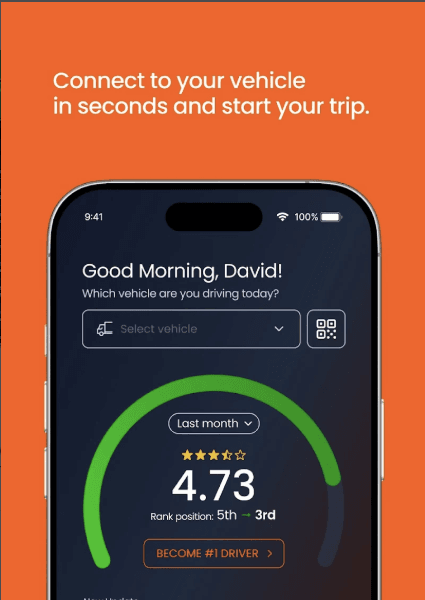
Roadie is our driver app for assigning vehicles and driver scoring
Roadie is our driver app and is available on the Google Play and Apple store.
Roadie on Google Play
Roadie on IOS
Troubleshooting
iPhone
QUICK FIXES
Check you have a signal
Confirm the status bar shows mobile signal bars or a Wi-Fi icon. If there is no signal, move to an area with better coverage before continuing.
Toggle Aeroplane mode on, then off
Open Control Centre, tap the aeroplane icon so it lights up orange, wait 10 seconds, then tap again to turn it off. This resets all radio connections in one go.
Force-close and reopen Roadie
Swipe up from the bottom of the screen (or double-press Home on older models), find Exeros Roadie in the app switcher, then swipe it up to close it. Reopen the app from the home screen.
Restart the iPhone
Hold the side button and a volume button until the power slider appears. Slide to power off, wait 30 seconds, then hold the side button to restart. Open Exeros Roadie once the phone has fully booted.
CHECK APP PERMISSIONS
Confirm mobile data is allowed for Roadie
Go to Settings → Mobile Data, scroll to Exeros Roadie, and make sure the toggle is on. If it was off, open Roadie and test immediately.
Check Low Data Mode is not blocking the app
Settings → Mobile Data → Mobile Data Options. If Low Data Mode is on, turn it off temporarily and test Exeros Roadie.
Check whether a VPN or content filter is active
Settings → VPN (or General → VPN & Device Management). If a VPN is connected, disconnect it and test. Some corporate or parental control profiles can also block connections — check General → VPN & Device Management for installed profiles.
LAST RESORT
Delete and reinstall Roadie
Hold the Roadie app icon, tap Remove App → Delete App. Then reinstall from the App Store and log back in. This clears any corrupted local data or cached credentials.
Was this article helpful?
That’s Great!
Thank you for your feedback
Sorry! We couldn't be helpful
Thank you for your feedback
Feedback sent
We appreciate your effort and will try to fix the article